Attention
Dividable Components#
Type |
Parameters |
Type |
Default value |
|---|---|---|---|
TsBox |
XBins
YBins
ZBins
|
i
i
i
|
1
1
1
|
TsCylinder |
RBins
PhiBins
ZBins
|
i
i
i
|
1
1
1
|
TsSphere |
RBins
PhiBins
ThetaBins
|
i
i
i
|
1
1
1
|
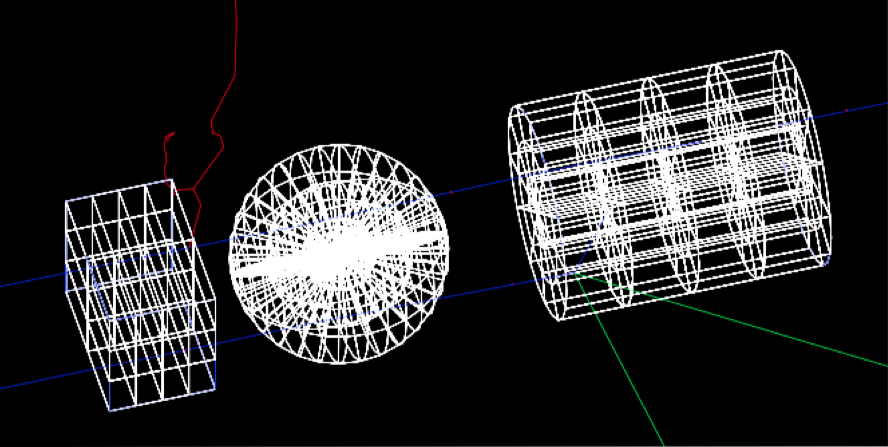
Scorers associated to divided components may use the same or different divisions (thus one can do things like represent the patient with CT resolution but score with other resolutions). See Binning in Dividable Components for details.
You cannot place child components inside a divided component, but if the only reason for dividing this component is to have fine-grained scoring, you can easily work around this limitation. Use an undivided parent component. Place the children into this undivided parent component. Then when you specify that you want to score on this parent component, specify divided scoring (see Binning in Dividable Components). TOPAS will automatically create a parallel world version of your component to handle the divided scoring.
You can optionally specify different materials for each voxel, overriding the value set in the regular Ge/.../Material parameter:
sv:Ge/Phantom/VoxelMaterials = 100 "G4_WATER" "G4_WATER" "Air" "Air" "G4_WATER" ...
This means you can create complex phantoms directly from the parameter system.
VoxelMaterials works for all three kinds of divided components: TsBox, TsCylinder, and TsSphere. See the DoseInVoxelMaterials.txt example.